
 Image 1 of 1
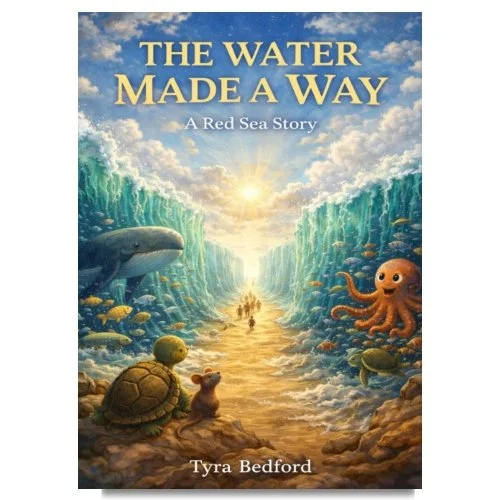
The Water Made a Way: A Red Sea Story is a children's book inspired by the biblical account of the parting of the Red Sea, told through the eyes of the animals who witnessed it.
As danger closes in and the sea stands in the way, the creatures of the land and water sense something shifting before the humans do. Through curiosity, fear, courage, and wonder, the animals observe a miracle unfold, one step at a time, as a path opens where none should exist.
Written with warmth, gentle humor, and reverence, this story introduces children to themes of faith, courage, protection, and hope without overwhelming them. It invites readers to imagine what it means to trust the way forward, even when it cannot yet be seen.
Digital Delivery & Access
This e-book is delivered instantly as a digital EPUB file after purchase.
For the best experience and easiest future access to your purchase, please create an account during checkout. Creating an account allows you to log in anytime to re-download your purchase, view your order history, and access your files across compatible devices.
Purchase Policy
Due to the digital nature of this product, all sales are final. No refunds or exchanges will be issued.
Personal Use Only
Your purchase grants a single-user license for personal use only. Sharing, reproducing, reselling, or distributing this material in any format is strictly prohibited.
Download Information
After purchase, your file will appear in your Downloads section. In some cases, the file may seem to disappear briefly after tapping “Download Item.” This is normal and simply means the file has moved to your device’s Downloads folder or reading app.
Compatible Reading Apps
This EPUB file can be opened using most digital reading applications, including:
• Apple Books
• Kindle App
• Google Play Books
• Other compatible EPUB readers
Please confirm your preferred device or reading app supports EPUB files before purchasing.
The Water Made a Way: A Red Sea Story is a children's book inspired by the biblical account of the parting of the Red Sea, told through the eyes of the animals who witnessed it.
As danger closes in and the sea stands in the way, the creatures of the land and water sense something shifting before the humans do. Through curiosity, fear, courage, and wonder, the animals observe a miracle unfold, one step at a time, as a path opens where none should exist.
Written with warmth, gentle humor, and reverence, this story introduces children to themes of faith, courage, protection, and hope without overwhelming them. It invites readers to imagine what it means to trust the way forward, even when it cannot yet be seen.
Digital Delivery & Access
This e-book is delivered instantly as a digital EPUB file after purchase.
For the best experience and easiest future access to your purchase, please create an account during checkout. Creating an account allows you to log in anytime to re-download your purchase, view your order history, and access your files across compatible devices.
Purchase Policy
Due to the digital nature of this product, all sales are final. No refunds or exchanges will be issued.
Personal Use Only
Your purchase grants a single-user license for personal use only. Sharing, reproducing, reselling, or distributing this material in any format is strictly prohibited.
Download Information
After purchase, your file will appear in your Downloads section. In some cases, the file may seem to disappear briefly after tapping “Download Item.” This is normal and simply means the file has moved to your device’s Downloads folder or reading app.
Compatible Reading Apps
This EPUB file can be opened using most digital reading applications, including:
• Apple Books
• Kindle App
• Google Play Books
• Other compatible EPUB readers
Please confirm your preferred device or reading app supports EPUB files before purchasing.